
When marking a Moodle assignment, you can preview the student submission alongside the marking tools.
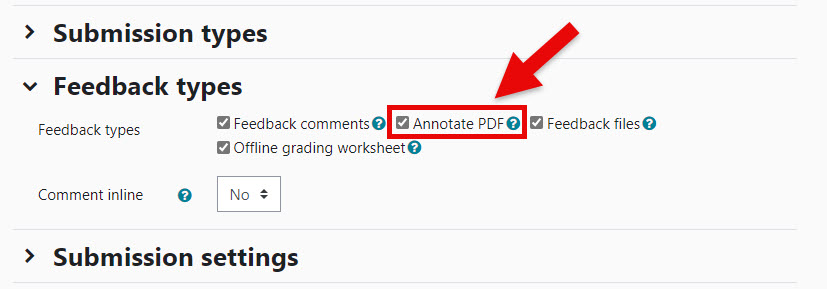
To do this, please ensure that ‘Annotate PDF’ is selected:
- Locate the Moodle Assignment activity in your course and go to Edit settings.
- Scroll down to the ‘Submission settings’ section and tick the option for Annotate PDF:
- Scroll down to bottom of the Assignment Settings page and click Save and display to confirm the change.