
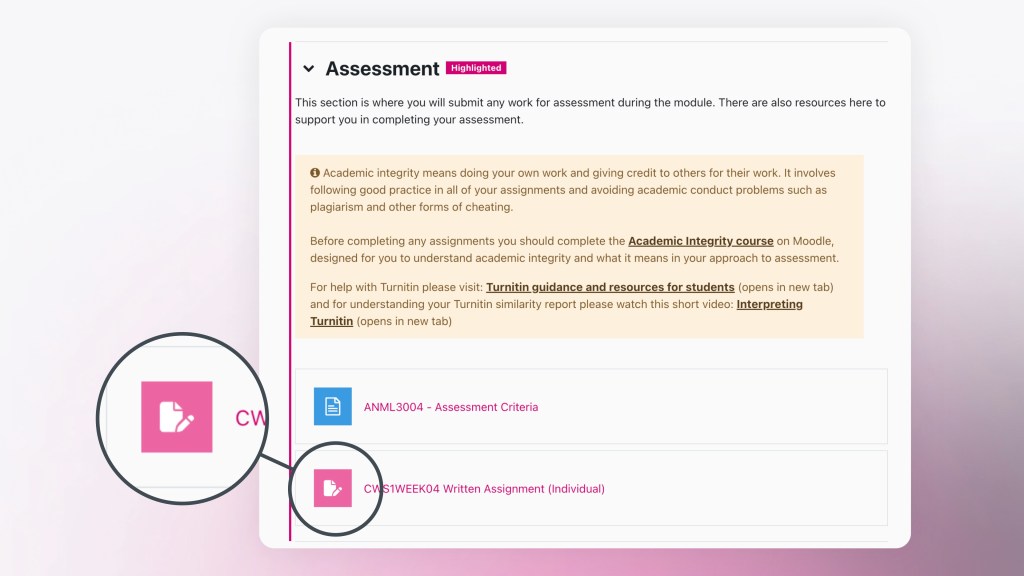
Coursework activities are always deployed in the Assessment section of your module and are signposted with a pink icon that displays a paper and a pencil next to it. These activities are used for assessment and are created based on the information in Banner.
Each assessment type that appears in Banner will have its own Coursework activity in Moodle. For example, if, during the module validation process, you defined 3 types of assessment (e.g. written assignment, oral presentation and portfolio submission), these will have 3 separate Coursework activities and separate Coursework activities for resits, if required.
Each gradable assessment component that is shown in Banner will have its own Coursework activity in Moodle and include the respective extensions within that one dropbox.
Once you have unhidden the dropbox, you will notice that each Coursework activity has a group restriction associated with it. For example:
Not available unless: You belong to (DO NOT EDIT) ANML6002 (202601:1) – CWS2WEEK06-1 OE (hidden otherwise)
You must not delete this restriction, as it is essential for ensuring that extensions (ISPs and Exceptional Circumstances) can be applied to the dropbox.