
Prior to submitting their first assignment, students are expected to complete two courses in Moodle, both designed to help students learn about good academic practice and how to use AI tools appropriately:
Previously there was a requirement for students to upload certificates to demonstrate to teaching staff that they had completed each course; now teaching staff are able to check the completion status of each course via a course-based report.
Students are still able to download completion certificates from each of the courses if they wish.
Accessing the report
To check the completion statuses of both courses for your students:
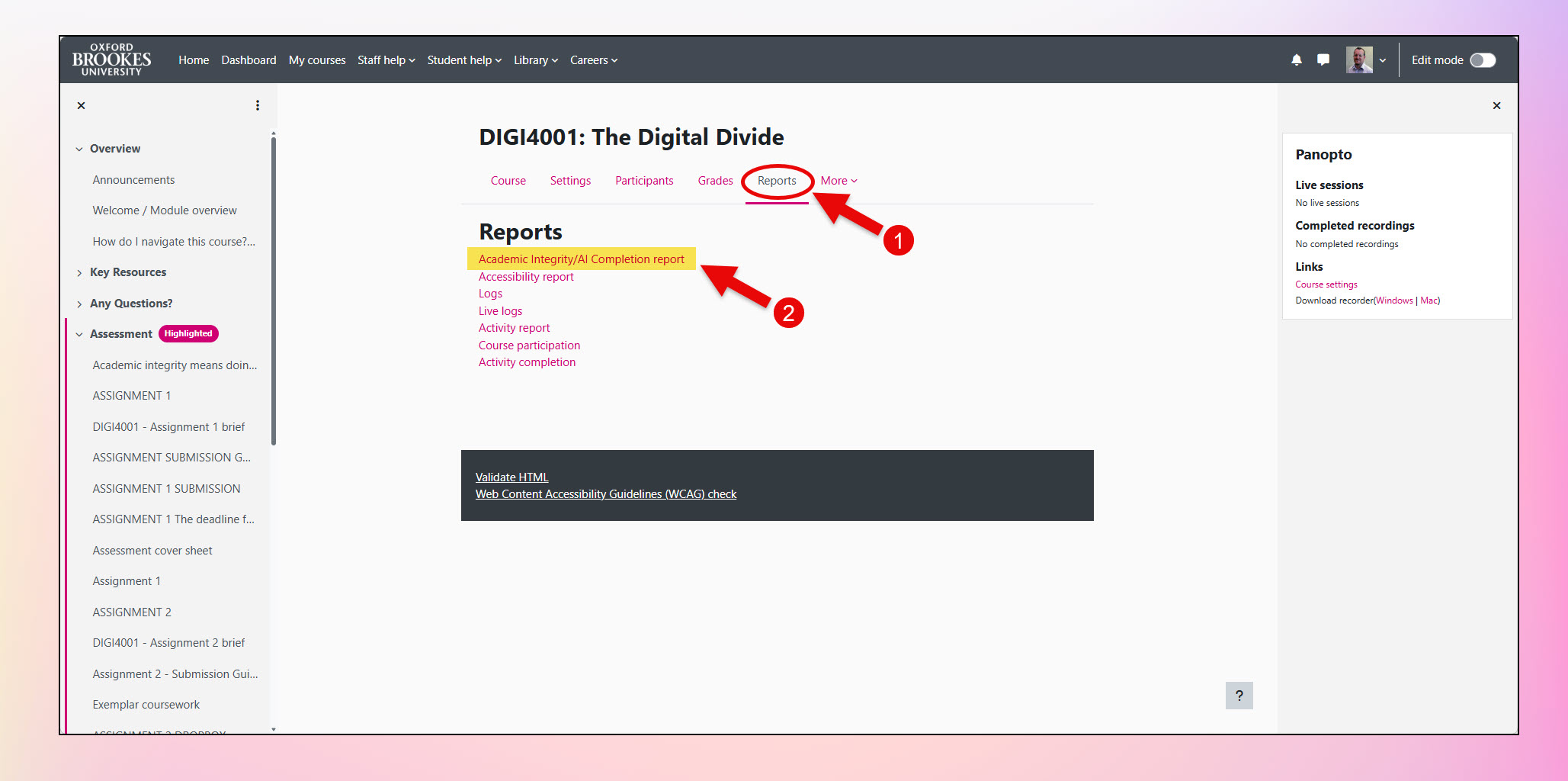
- From your course page contextual navigation, click on Reports.
- Click on the Academic Integrity/AI Completion report link.
Using the report
The report lists all students enrolled in your Moodle course along with the completion status of each of the two courses.
In the screenshot below, you will see the ‘Academic Integrity/AI Completion’ report from an exemplar course. Click the pink ‘i’ buttons to see an explanation for the filtering functionality on the page along with details of the content of the report.